The picks
The best freeze alarms for a cabin or vacation home you leave empty in winter
A monitor that logs beautifully and tells nobody is worthless in an empty house. The specification that matters for a cabin is not accuracy, it is the path the alert takes to your phone and what happens to it when the internet drops.
By Sawyer V. · Published
The short answer
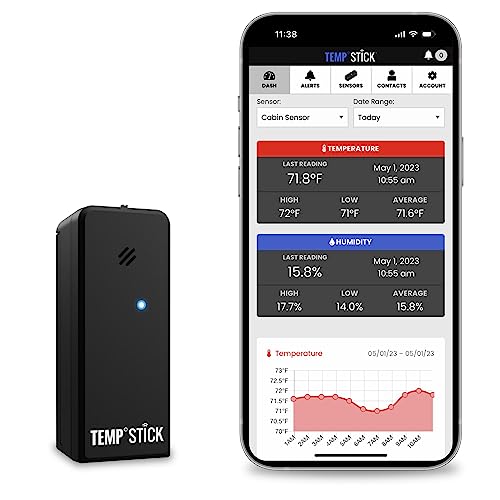
For a cabin with working Wi-Fi, the Temp Stick is the pick: no hub, no subscription, −40 to 140 F at ±0.15 C, and it keeps logging through a Wi-Fi outage and uploads when the connection returns. If the building is large or the router is far from the pipes, a YoLink kit puts three long-range sensors and a hub in for less.
Fan & Frost earns a commission when you buy through our links, at no cost to you. It never changes a ranking, and we say so when the right answer is the cheaper unit or nothing at all. Full disclosure · How we pick.
At a glance
The picks, ranked
Tap any row to jump to the full reasoning. Prices are live from Amazon where we have them, and read “check price” where we don’t — never a number we cannot verify today.
| # | Product | Best for | Price |
|---|---|---|---|
| 1 | Best overall Temp Stick Remote Wi-Fi Temperature & Humidity Sensor Wi-Fi direct with no hub and no subscription, −40 to 140 F at ±0.15 C, with text, email and app alerts including one for the Wi-Fi going down. It logs while offline and restores the data when the connection comes back. | A cabin, holiday house or empty rental that has its own Wi-Fi and one place you really care about — by the pipes, under the sink, in the crawl space | |
| 2 | 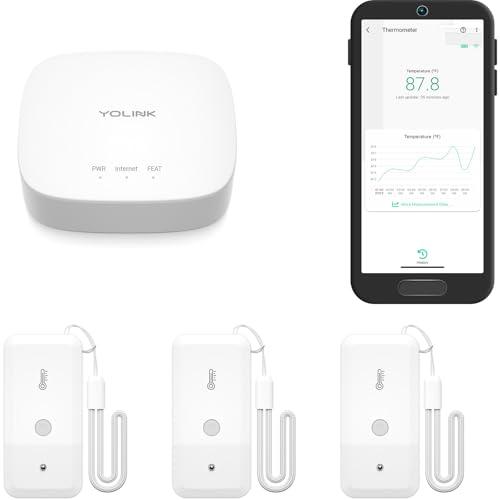 Best coverage for the money YoLink Temperature Sensor 3-Pack with Hub Three sensors and a hub, on a long-range LoRa radio the listing rates to 2,034 feet, with app alerts, IFTTT and a battery life quoted at up to five years. | A building where one sensor is not enough — the crawl space, the kitchen wall and the well house — or where the router is nowhere near the plumbing | |
| 3 | 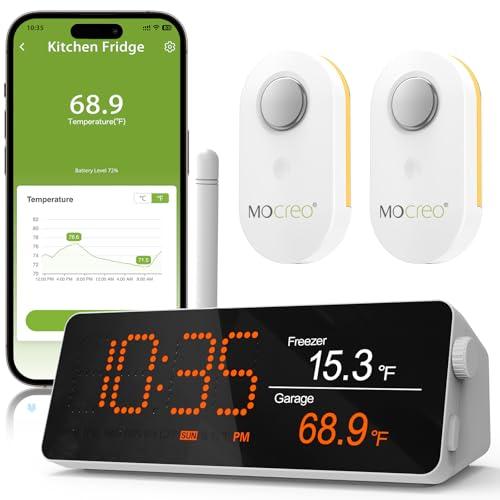 Best for an outbuilding MOCREO Wi-Fi Remote Thermometer with Hub, 2 Sensors A monitor hub and two sensors with an IP66 rating and a stated range of a third of a mile, with app and email alerts and no subscription fee, for the lowest price here. | A well house, a boat, a greenhouse or a detached garage — somewhere the sensor is going to get damp and the main house is a few hundred feet away | |
| 4 | 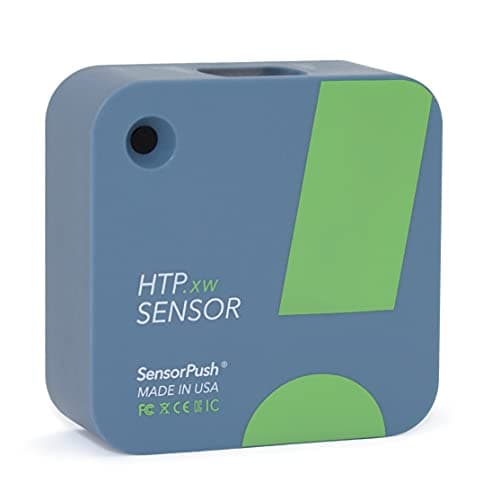 Most accurate, worst architecture SensorPush HTP.xw Temperature, Humidity & Barometric Pressure Sensor ±0.18 F typical temperature accuracy and ±1.5% RH over 0 to 80%, logging a reading a minute for close to a month on the sensor itself, water resistant, on a CR2477 that lasts over two years. | A cabin you visit regularly, where you want a precise record of what the building did between visits and will read it on arrival — or where you are willing to add the Wi-Fi gateway | |
| 5 | 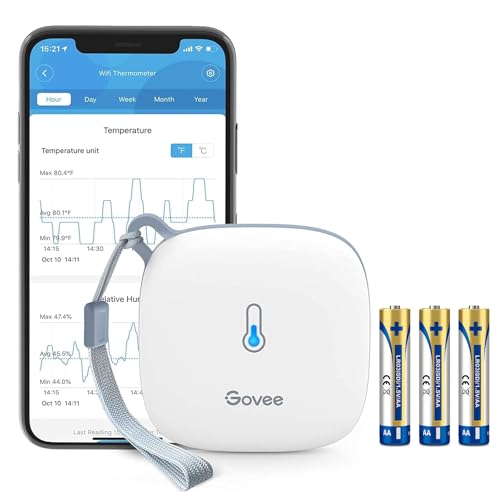 Cheapest way to watch one room Govee Wi-Fi Thermometer Hygrometer Wi-Fi with app alerts and two years of exportable data, with no hub required, for under forty dollars. | A spare bedroom or a basement in a house you do live in, as a cheap extra pair of eyes rather than the instrument a frozen-pipe claim depends on | |
| — | 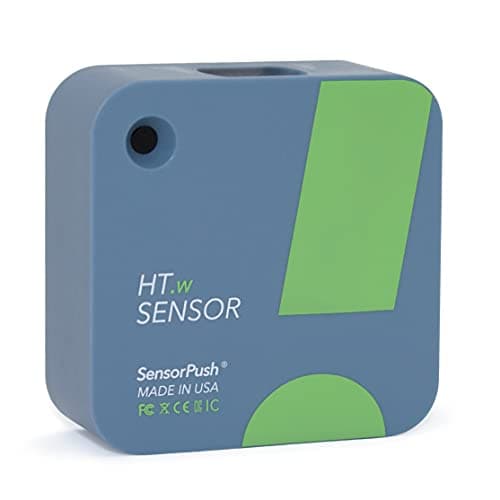 The one to skip SensorPush HT.w Temperature & Humidity Sensor The cheaper SensorPush sensor: ±0.36 F typical instead of ±0.18, and ±4% RH over the full range instead of ±2%. Same Bluetooth-only architecture, same gateway requirement. | Nothing on this page — in an unheated building its accuracy falls away exactly where you need it, and it has the same Bluetooth-only limitation as its better sibling |
An unoccupied building in winter has one failure mode that matters, and it is not discomfort. A pipe freezes, splits, thaws and then runs for however many days it takes somebody to notice. The whole purpose of a monitor in that building is to compress “however many days” into “however many minutes”.
Which means the specification to shop on is not accuracy. It is the alert path. A sensor accurate to a tenth of a degree, logging faithfully to its own memory, in a cabin nobody will enter until April, has told you nothing.
The three architectures
How the alert gets out of the building
Every product in this category is one of three designs, and the choice between them is the whole decision:
- Wi-Fi direct. The sensor talks to the property’s own router. Simplest, fewest boxes — and it needs a router powered and online all winter. Temp Stick, Govee H5179.
- Long-range radio to a hub. Sensors speak a sub-gigahertz protocol to a hub, which has the internet connection. Goes through walls and floors that stop Wi-Fi, and lets you scatter several sensors. YoLink, MOCREO.
- Bluetooth, plus a gateway if you want remote. Best accuracy in this category, and no remote capability at all in the box. SensorPush HTP.xw and HT.w.
| Monitor | Alert path | Hub | Temp accuracy | Subscription | Battery |
|---|---|---|---|---|---|
| Temp Stick | Wi-Fi 2.4 GHz | None | ±0.15 C | None stated | 1+ year, 2 AA |
| YoLink kit (3 + hub) | LoRa to hub | Included | Not published | Not published | Up to 5 years |
| MOCREO (2 + hub) | Radio to hub | Included | Not published | No fee claimed | Not published |
| SensorPush HTP.xw | Bluetooth | Needed for remote | ±0.18 F typical | No monthly fee | 2+ years |
| Govee H5179 | Wi-Fi | None | Not published | Not published | Not published |
| SensorPush HT.w | Bluetooth | Needed for remote | ±0.36 F typical | No monthly fee | 2+ years |
Every figure is the maker’s own where a maker page could be read; MOCREO and Govee serve no reachable product page, so their rows are the retail listing’s claims. Three of six publish a temperature accuracy figure. Two of six publish nothing we could verify.
The uncomfortable part
Every one of these dies in a power cut
It is worth being direct about this, because it is the failure case for an unoccupied house and almost nobody addresses it.
The sensors run on batteries. The internet connection does not. Wi-Fi direct needs the router; hub designs need the hub. A winter storm that takes the power out also takes out the heating — which is the moment you most need an alert — and takes out your ability to receive one at the same time.
Three partial answers, all honest about being partial:
- Buy a monitor that alerts on losing contact, not just on temperature. Temp Stick publishes a Wi-Fi outage alert in its alert list. Silence then becomes information: if you stop hearing from the cabin at 3 a.m., something has happened to the cabin.
- Buy one that keeps logging while offline. Temp Stick states it “logs and restores data when Wi-Fi is offline”, and SensorPush stores a month of readings on the sensor itself. You will at least know afterwards what happened.
- Put the router and hub on a small UPS. Not a product this site covers, and the single most effective thing you can do for any of these systems.
This one is not a DIY job
Temperature is only half of what an empty house does to itself. With the heating turned down and no one opening a window, relative humidity climbs, and the EPA’s published guidance is to keep indoor humidity below 60 percent, ideally between 30 and 50 percent. Every monitor on this page reads humidity as well as temperature, so set a second alert on it. Whether an unheated building needs a dehumidifier in winter, and the machines that can drain themselves while nobody is there.
Where to put it
Not in the middle of the room
A thermostat in a hallway reads the hallway. For freeze protection you want the sensor where the water is and where the cold gets in:
- On the pipe run most exposed to the outside — under a kitchen sink on an exterior wall, in the crawl space, in the well house. That is where a split happens, and it will be several degrees colder than the room.
- A second sensor in the main living space, so you can tell “the heating has failed” from “this one corner is cold”. This is the argument for the three-sensor kits.
- Set the alert threshold well above freezing. By the time a room reads 32 F, the pipe in the wall behind it froze some time ago. Pick a number that gives you travel time.
- Check the sensor’s own rated range. Temp Stick and both SensorPush sensors are rated to −40 F. Nobody publishes a figure for how the battery behaves down there.
Say the unwelcome thing
Do not rely on a monitor that needs a subscription you might forget.
A freeze alarm is a device you install once and then ignore for years, which makes it the worst possible product to attach a card payment to. A lapsed subscription is a silent failure: the sensor still shows a number, and the alert simply never arrives.
Temp Stick states “No Fees, No Subscriptions” and SensorPush describes its cloud service as included with no monthly fee. Both are the right shape for this job. Where a maker does not state the terms at all — as YoLink’s kit page does not — find out before you trust a building to it.
In full
Every pick, and what is wrong with it
Published specifications only, each linked to the page it came from. Where a manufacturer publishes nothing, the row says so — we do not fill blanks in.
1. Best overall
Temp Stick Remote Wi-Fi Temperature & Humidity Sensor
Ideal Sciences · model Temp Stick (SKU TEMPSTICK-TH)
Wi-Fi direct with no hub and no subscription, −40 to 140 F at ±0.15 C, with text, email and app alerts including one for the Wi-Fi going down. It logs while offline and restores the data when the connection comes back.
−40 to 140 F (−40 to 60 C) at ±0.15 C, with humidity over 0–100% RH. The temperature figure is the tightest on this page and the range covers any North American winter a building will survive.
“100% Wireless — no hubs or gateways required” and “No Fees, No Subscriptions”, with alerts by text message, email and app. Both of those matter more than they look. A hub is a second thing to power and a second thing to fail; a subscription on a device you check twice a year is a recurring charge for nothing.
The alert list is the real feature. It alerts on temperature, humidity, heat index, dew point, low battery and Wi-Fi outages. That last one answers the question every absentee owner actually has: not “what is the temperature?” but “is this thing still watching?”
Two AA lithium cells, 1+ year at typical settings, and a 3-year limited warranty. Lithium rather than alkaline is the right choice in an unheated building, and it is what Ideal Sciences ships. Note that no maker on this page publishes a low-temperature limit for the battery itself — only for the sensor.
What’s wrong with it
It needs working Wi-Fi at the property, on 2.4 GHz only — in an empty house that means leaving a router powered all winter and accepting that a power cut takes the whole system down. Its two published humidity accuracy figures disagree with each other: ±3.0% RH on the spec table, typically ±2.0% on the product tile.
Running cost
Ideal Sciences does not publish a wattage for the Temp Stick (SKU TEMPSTICK-TH), so we cannot calculate what it costs to run. We are not going to estimate one. If Ideal Sciences publishes a nameplate figure, this block will show the arithmetic.
| Temperature range | -40 to 140 F (-40 to 60 C) |
|---|---|
| Temperature accuracy | ±0.15 C |
| Humidity accuracy | ±3.0% RH on the spec table; the product tile claims typically ±2.0% RH. The two figures disagree |
| Humidity range | 0 - 100% RH |
| Hub required | No. Wi-Fi direct, no gateway |
| Wi-Fi | 2.4 GHz only |
| Subscription | None. Alerts and unlimited logging are free for the life of the sensor |
| Alerts | SMS, email and app, on temperature, humidity, heat index, dew point, low battery and Wi-Fi outage |
| Outage behavior | Logs while Wi-Fi is down and restores the data when it returns |
| Battery | 2 AA lithium (included), 1+ year at typical settings |
| Low-temperature limit for the battery | Not published |
| Warranty | 3-year limited |
Every figure above is from Temp Stick product page — -40 to 140 F, ±0.15 C temperature accuracy, 2.4 GHz Wi-Fi with no hub, no subscription, SMS/email/app alerts, logs through Wi-Fi outages, 2 AA lithium cells, 3-year limited warranty. Blanks are shown as “not published” rather than filled in.
2. Best coverage for the money
YoLink Temperature Sensor 3-Pack with Hub
YoLink · model YS8003 sensors with a YS1603 hub
Three sensors and a hub, on a long-range LoRa radio the listing rates to 2,034 feet, with app alerts, IFTTT and a battery life quoted at up to five years.
A YS1603 hub and three YS8003 temperature and humidity sensors, for less than one Wi-Fi sensor costs. For an empty building, three sensors is not greed — it is the difference between knowing the house is cold and knowing where it is cold.
LoRa, which the listing rates up to 2,034 feet. That is the technical reason to choose this architecture: a sub-gigahertz radio goes through floors, foundations and outbuildings in a way 2.4 GHz Wi-Fi does not. A sensor in a crawl space under a stone wall is the exact case Wi-Fi fails.
Up to five years of battery per the listing, with exportable history and IFTTT support for chaining an alert into whatever else you use.
The gap is disclosure, and it is a real one. YoLink’s own kit page publishes no temperature range and no accuracy figure at all, deferring to per-model pages we could not reach. We are ranking it on architecture and coverage, not on measurement quality, and you should buy it that way. How we pick.
What’s wrong with it
The kit page publishes no temperature range, no accuracy figure, no humidity accuracy and no subscription terms, and the per-model spec pages were unreachable. It also needs the hub powered and online, so like the Temp Stick it goes dark in a power cut.
Running cost
YoLink does not publish a wattage for the YS8003 sensors with a YS1603 hub, so we cannot calculate what it costs to run. We are not going to estimate one. If YoLink publishes a nameplate figure, this block will show the arithmetic.
| Radio | LoRa, up to 2,034 ft (listing figure) |
|---|---|
| Hub required | Yes, and a YS1603 hub is in the box |
| Sensors in the box | 3 |
| Battery | Up to 5 years (listing figure) |
| Alerts | App high/low alerts; works with IFTTT |
| History | Exportable |
| Temperature range | Not published on the kit page |
| Temperature accuracy | Not published on the kit page |
| Humidity accuracy | Not published on the kit page |
| Subscription | Not published on the kit page |
| Warranty | Term not printed; the page says only to review the warranty terms |
Every figure above is from YoLink Temperature & Humidity Sensor Starter Kit page — YS8003 sensors with a YS1603 hub, app high/low alerts, IFTTT. The kit page prints no temperature range, accuracy or battery figure; the per-model spec pages it links were unreachable. Range and battery life are the retail listing's figures. Blanks are shown as “not published” rather than filled in.
3. Best for an outbuilding
MOCREO Wi-Fi Remote Thermometer with Hub, 2 Sensors
MOCREO · model Not stated on the listing
A monitor hub and two sensors with an IP66 rating and a stated range of a third of a mile, with app and email alerts and no subscription fee, for the lowest price here.
IP66 and a stated range of one third of a mile, with a digital monitor hub and two wireless sensors, app and email alerts, and no subscription fee.
The IP66 claim is the reason this is here. Of everything on this page, only this and the SensorPush sensors make any weather claim at all, and SensorPush’s is the softer “splash and rain proof, no IP rating published”. A well house or an unheated garage is a wet place in a thaw.
Two sensors plus a hub at this price means you can cover the thing you are worried about and the room next to it, which is how you tell a sensor fault from a real freeze.
Now the caveat, in full. mocreo.com returned HTTP 530 on every request from this build, so there is no manufacturer page behind any of these numbers. The range, the IP rating and the subscription claim are all the listing’s. Buy it as a second line of defense rather than the only instrument you trust.
What’s wrong with it
MOCREO's own site returned HTTP 530 on every attempt from this build, so every figure here comes from the retail listing: no temperature range, no accuracy, no battery life and no warranty term could be verified from the manufacturer.
Running cost
MOCREO does not publish a wattage for the Not stated on the listing, so we cannot calculate what it costs to run. We are not going to estimate one. If MOCREO publishes a nameplate figure, this block will show the arithmetic.
| Radio | Up to 1/3 mile between sensor and hub (listing figure) |
|---|---|
| Hub required | Yes, and a digital monitor hub is in the box |
| Sensors in the box | 2 |
| Weatherproofing | IP66 (listing figure) |
| Alerts | App notification and email |
| Subscription | No fee (listing claim) |
| Temperature range | Not published on the listing |
| Temperature accuracy | Not published on the listing |
| Battery | Not published on the listing |
| Warranty | Not published on the listing |
Every figure above is from MOCREO Wi-Fi remote thermometer product listing — 1/3 mile range, IP66, monitor hub plus two wireless sensors, app and email alerts, no subscription fee. mocreo.com returned HTTP 530 on every attempt from this build, so no maker specification could be verified. Blanks are shown as “not published” rather than filled in.
4. Most accurate, worst architecture
SensorPush HTP.xw Temperature, Humidity & Barometric Pressure Sensor
SensorPush · model HTP.xw
±0.18 F typical temperature accuracy and ±1.5% RH over 0 to 80%, logging a reading a minute for close to a month on the sensor itself, water resistant, on a CR2477 that lasts over two years.
±0.18 F typical and ±0.54 F maximum over 68–140 F, with humidity at ±1.5% typical across 0–80% RH, over a sensor range of −40 to 140 F. Nothing else on this page publishes a banded accuracy statement like that, and it is why this sensor is also the top pick on our hygrometer page.
It logs one reading a minute and holds close to a month on the sensor, which is genuinely useful for an empty building: you arrive, open the app in the doorway, and see every hour the house spent below freezing while you were away.
And that is the problem. SensorPush is explicit about it: “If you would like to monitor SensorPush sensors remotely (e.g. away from the house), you need to use them in conjunction with a SensorPush Wi-Fi Gateway”. Bluetooth range is 325 feet line of sight — which means standing in the cabin.
Add the gateway and it becomes the most accurate remote monitor available, with no monthly fee on the included cloud service. Buy it without one and you have bought a logger, not an alarm. SensorPush publishes no low-temperature limit for the battery either — only “less in extreme cold”.
What’s wrong with it
It is Bluetooth. SensorPush states that remote monitoring requires its separate Wi-Fi gateway — without one, the data stays on the sensor and nobody is alerted to anything. For a freeze alarm, that is the wrong way round.
Running cost
SensorPush does not publish a wattage for the HTP.xw, so we cannot calculate what it costs to run. We are not going to estimate one. If SensorPush publishes a nameplate figure, this block will show the arithmetic.
| Humidity accuracy, 0-80% RH | ±1.5% typical, ±3% maximum (at 77 F) |
|---|---|
| Humidity accuracy, 0-100% RH | ±2% typical, ±3% maximum (at 77 F) |
| Temperature accuracy | ±0.18 F typical, ±0.54 F maximum (68 - 140 F) |
| Humidity range | 0 - 100% RH |
| Temperature range | -40 F to 140 F |
| Barometric pressure | 300 - 1,250 mb, ±0.5 mb typical |
| Display | None — a Bluetooth sensor, read on a phone |
| Wireless range | 100 m / 325 ft line of sight |
| Battery | CR2477, typically over 2 years |
| Logging | One reading a minute, stored on the sensor close to a month |
| Water resistance | Splash and rain proof; no IP rating published |
| Sensor part number | Not published |
Every figure above is from SensorPush product page, HTP.xw. Blanks are shown as “not published” rather than filled in.
5. Cheapest way to watch one room
Govee Wi-Fi Thermometer Hygrometer
Govee · model H5179
Wi-Fi with app alerts and two years of exportable data, with no hub required, for under forty dollars.
Wi-Fi, app notification alerts, no hub, two years of stored and exportable data, at a price that makes it reasonable to put one in every room you are mildly curious about.
For a house you live in, that is a sensible purchase. A cheap sensor in the basement that pings your phone when it drops below forty is doing real work even if its absolute accuracy is unknown, because what you care about is the direction and the threshold.
For an empty cabin, we would not make it the only instrument. Govee publishes no accuracy specification anywhere we can reach: its own domain redirects to a lighting storefront and its thermometer product URLs return 404. On a device whose entire job is to tell you a number crossed a line, that absence has to count.
Pair it with one instrument that does publish its figures, and use the cheap ones for coverage. Which meters publish accuracy, and which do not.
What’s wrong with it
Govee's own site serves no H5179 product page at all — govee.com redirects to a lighting storefront and the thermometer URLs return 404 — so no accuracy figure, no temperature range and no battery life could be verified from the maker.
Running cost
Govee does not publish a wattage for the H5179, so we cannot calculate what it costs to run. We are not going to estimate one. If Govee publishes a nameplate figure, this block will show the arithmetic.
| Connectivity | Wi-Fi, with app notification alerts |
|---|---|
| Hub required | No |
| Data | Two years of stored data, exportable |
| Temperature accuracy | Not published on the listing |
| Humidity accuracy | Not published on the listing |
| Temperature range | Not published on the listing |
| Battery | Not published on the listing |
| Warranty | Not published on the listing |
Every figure above is from Govee H5179 product listing — Wi-Fi with app notification alerts and two years of exportable data. Govee's own site serves no H5179 product page: govee.com redirects to a lighting storefront and the thermometer URLs return 404, so no accuracy specification could be verified. Blanks are shown as “not published” rather than filled in.
Skip this one
SensorPush HT.w Temperature & Humidity Sensor
SensorPush · model HT.w
The cheaper SensorPush sensor: ±0.36 F typical instead of ±0.18, and ±4% RH over the full range instead of ±2%. Same Bluetooth-only architecture, same gateway requirement.
The HT.w is a good sensor and we have recommended against it before, for the same reason: SensorPush sells a materially better one for about twenty dollars more.
Temperature: ±0.36 F typical and ±0.72 F maximum, against the HTP.xw’s ±0.18 and ±0.54. Humidity across the full 0–100% RH range: ±4% typical and ±7.5% maximum, against ±2% and ±3%.
That second pair is the one that disqualifies it here. A monitor in an empty winter building is being asked to work at the cold, damp end of its envelope, which is precisely where its wide full-range band applies. A reading of 70% RH could be 62% or 78%.
It has the same Bluetooth-only limitation, the same gateway requirement and the same CR2477. If budget is the constraint, a Wi-Fi sensor at half the price does more for a cabin than this does.
What’s wrong with it
Its published accuracy degrades across the full range — ±4% typical and ±7.5% maximum humidity over 0 to 100% RH — and a cabin in winter is exactly the full range. Paying 20 dollars less for twice the uncertainty is the wrong trade in the one situation this page is about.
Running cost
SensorPush does not publish a wattage for the HT.w, so we cannot calculate what it costs to run. We are not going to estimate one. If SensorPush publishes a nameplate figure, this block will show the arithmetic.
| Humidity accuracy, 10-90% RH | ±2% typical, ±4.5% maximum (at 77 F) |
|---|---|
| Humidity accuracy, 0-100% RH | ±4% typical, ±7.5% maximum (at 77 F) |
| Temperature accuracy | ±0.36 F typical, ±0.72 F maximum (68 - 140 F) |
| Humidity range | 0 - 100% RH |
| Temperature range | -40 F to 140 F |
| Display | None — a Bluetooth sensor, read on a phone |
| Wireless range | 100 m / 325 ft line of sight |
| Battery | CR2477, typically over 2 years |
| Logging | One reading a minute, stored on the sensor over a month |
| Water resistance | Splash and rain proof; no IP rating published |
Every figure above is from SensorPush product page, HT.w. Blanks are shown as “not published” rather than filled in.
We are not linking a buy button for this one. If you want to look at it anyway, it is easy enough to find — but we would rather send you to something that fits your room.
Questions people actually ask
Frequently asked
What is the best freeze alarm for a vacation home?
The Temp Stick, if the property has Wi-Fi: no hub and no subscription, −40 to 140 F at ±0.15 C, with text, email and app alerts that include a Wi-Fi outage warning, and logging that survives an outage and uploads afterwards. For a larger building or one with thick walls, a YoLink kit puts three long-range sensors and a hub in for less money.
Do freeze alarms work without internet at the property?
None of the products here does. Wi-Fi models need the property's router; the hub models need the hub online. Cellular monitors exist in principle and we could not verify one: the cellular product we looked for had no reachable manufacturer site at all. The practical mitigation is a monitor that alerts you when it loses contact, plus a small UPS on the router.
What temperature should a freeze alarm be set to?
Well above freezing. By the time the room air reads 32 F, the pipe in the exterior wall behind it has been colder than that for hours. Set the threshold at a temperature that gives you enough time to drive there or to call somebody who can, and put the sensor on the coldest pipe run rather than in the middle of the room.
Do freeze alarms need a subscription?
Some do and the good ones say so. Temp Stick states 'No Fees, No Subscriptions' and that its monitoring and alerts are free for the life of the sensor; SensorPush describes its gateway cloud service as included with no monthly fee. YoLink's kit page does not state its terms either way, which is worth checking before you depend on it.
Will a SensorPush sensor alert me at home if the cabin gets cold?
Not on its own. SensorPush states plainly that remote monitoring away from the house requires its separate Wi-Fi Gateway; without one, Bluetooth range is 325 feet line of sight and the data stays on the sensor. With the gateway it becomes the most accurate remote monitor here — ±0.18 F typical temperature accuracy. SensorPush on accuracy.
Does an empty house need humidity monitoring too?
Yes, and every monitor here reads humidity as well. With the heating turned down and nobody ventilating, relative humidity climbs, and the EPA's published guidance is to keep indoor humidity below 60 percent and ideally between 30 and 50. Set a second alert on the humidity reading, not just the temperature. Dehumidifiers in winter.
How cold can a temperature sensor itself get?
Temp Stick and both SensorPush sensors are rated to −40 F. What nobody publishes is a low-temperature limit for the battery: SensorPush says only that battery life is 'less in extreme cold' and the others state nothing at all. Lithium AA cells, which Temp Stick ships, behave better in the cold than alkaline.
Sources
Where these numbers came from
- Temp Stick product page — -40 to 140 F at ±0.15 C, humidity 0-100% RH, 2.4 GHz Wi-Fi with no hub required, 'No Fees, No Subscriptions', SMS/email/app alerts including low battery and Wi-Fi outage, logs and restores data when Wi-Fi is offline, 2 AA lithium cells, 3-year limited warranty
- YoLink Temperature & Humidity Sensor Starter Kit page — YS1603 hub with YS8003 sensors, app high/low alerts, no temperature range or accuracy figure published on the kit page
- SensorPush HTP.xw product page — -40 to 140 F range, ±0.18 F typical and ±0.54 F maximum over 68-140 F, humidity ±1.5% typical over 0-80% RH, 325 ft Bluetooth range, CR2477 over two years, water resistant with no IP rating published
- SensorPush G1 Wi-Fi Gateway product page — required for remote monitoring away from the house, included cloud service with no monthly fee, 2.4 GHz Wi-Fi or Ethernet, 5 V 2 A power
- SensorPush HT.w product page — ±0.36 F typical temperature accuracy and ±4% typical / ±7.5% maximum humidity accuracy across 0-100% RH
- MOCREO Wi-Fi remote thermometer product listing — 1/3 mile range, IP66, hub plus two sensors, app and email alerts, no subscription fee; mocreo.com returned HTTP 530 on every attempt
- EPA, A Brief Guide to Mold, Moisture and Your Home — keep indoor humidity below 60 percent, ideally between 30 and 50 percent
Read next
Where to go from here
Back to Dehumidifiers, or read how we pick.